The Authenticity
Manual.
A practical inspection workflow for spotting counterfeit consumer electronics covering packaging, hardware, and software behavior.
Quick Fake Test
Use this first if you are inspecting a product before buying. If two or more checks fail, continue with the full guide before trusting the product.
Price is unusually low
A sealed product sold far below normal retail value (less than 60% of retail) is rarely a safe purchase.
Packaging has grammar mistakes
Text missalignments, spaces between commas and texts that doesn't make sense.
Software features do not work
Fake AirPods may show menus but fail ANC, Find My, firmware, or Spatial Audio behavior.
01. Universal Signs of a Fake Product
Counterfeit products are not always obvious. Modern fakes can copy logos, serial numbers, packaging layouts, and even basic software prompts. The correct method is to inspect the product in layers: seller, packaging, printed details, physical construction, and software behavior.
Important: one signal is not enough
A valid serial number, a sealed box, or an iPhone pairing animation does not guarantee authenticity. Treat the result as a confidence score, not a single yes/no check.
02. AirPods Case: Packaging Inspection
AirPods packaging is one of the best places to start. Apple boxes are usually consistent: sharp print, dense cardboard, straight labels, and controlled unboxing. Fakes often copy the layout but fail in small manufacturing details.
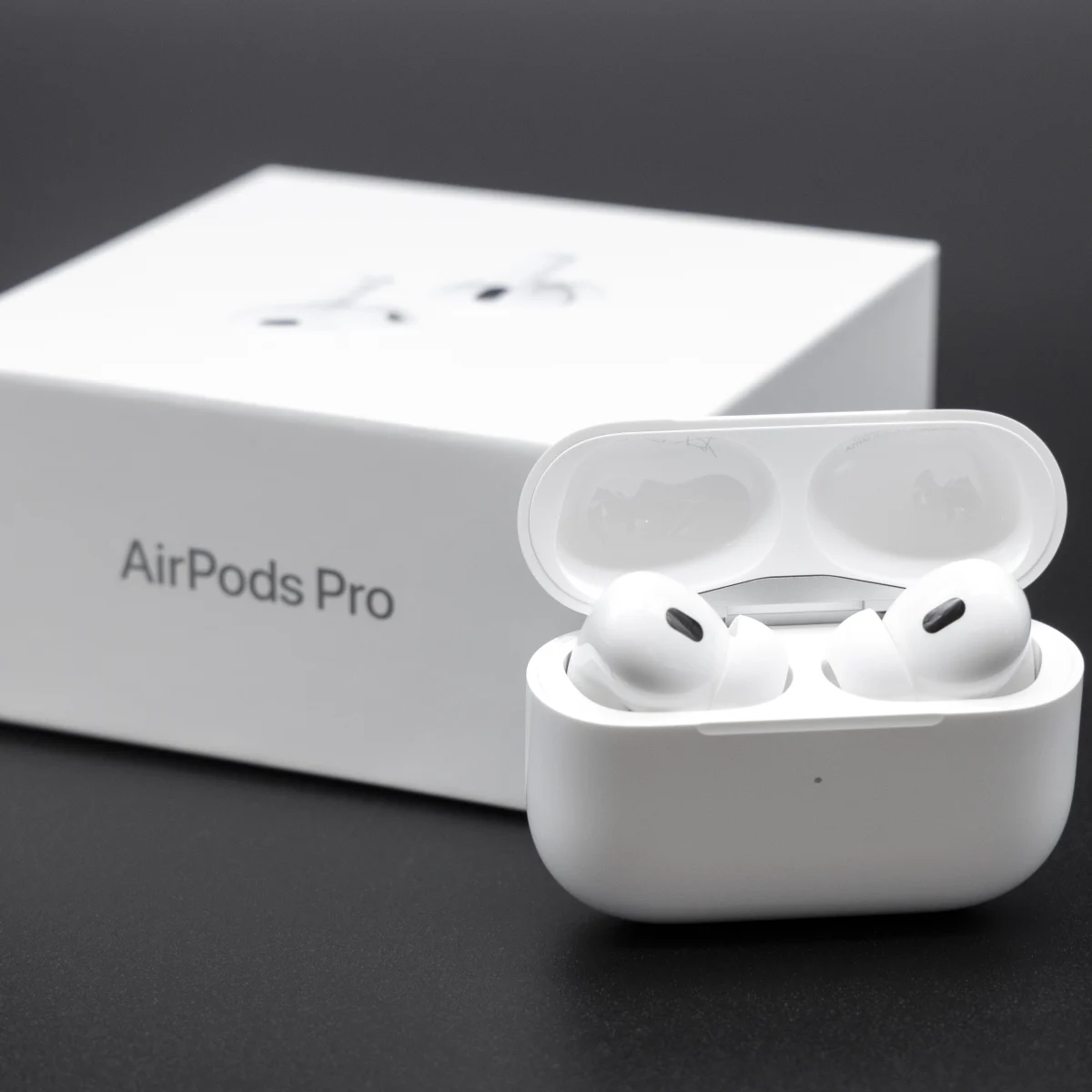
| Check | Genuine | Counterfeit Warning |
|---|---|---|
| Pull tabs | Clean paper tear, consistent adhesive | Loose glue, rough tear, plastic shrink-wrap on newer models |
| Labels | Straight, sharp, perfectly aligned | Crooked placement, darker text, single color, blurry icons |
| Box print | Sharp product image and clean color balance | Washed-out image, fuzzy edges, uneven finish |
| Manuals | Clean folding, premium paper feel | Cheap paper, poor folding, missing inserts |
03. AirPods Case: Product and Hardware Checks
Once the box is open, inspect the charging case and earbuds carefully. Genuine AirPods should feel dense, smooth, and precise. Counterfeit units may look similar at first glance, but the hinge, magnets, seams, sensors, and markings often reveal the difference.
Lid and Hinge
The lid should open smoothly and close with a controlled snap. Loose movement, rattling, or weak magnets are suspicious.
Sensors and Grilles
Sensor windows and mesh should be clean and precise. Painted dots, shallow inserts, or uneven mesh are warning signs.
Charging Port
The port should be centered, clean, and firmly integrated. The edges must be metalic and you need to see a horizontal metal bar inside it like on the icon above.
Physical details worth comparing
Inspect the printed text inside the case lid, left/right markings, ear tip quality, case LED diffusion, button feel, case weight, and overall seam quality. When possible, compare against high-resolution photos of a known genuine unit.
04. AirPods Case: Software and iPhone Checks
Software checks are important, but not perfect. Some fake AirPods can trigger Apple-style pairing animations and show battery information. The better test is whether deeper iOS features behave correctly.
Select the checks that passed to estimate confidence.
This score is indicative only. A professional inspection or purchase from an authorized seller remains the safest option.
05. Final Verdict
Likely Genuine
Packaging, hardware, serials, and software behavior are consistent. No major red flags detected.
Mixed Signals
Some checks pass, but one or more details feel inconsistent. Compare with verified photos before buying.
Probably Counterfeit
Multiple issues appear across packaging, hardware, and software. Avoid the purchase or request a refund.